
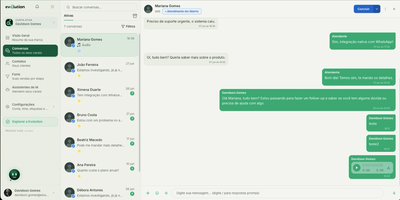
How to use WhatsApp Web ? If you’ve been using WhatsApp on your phone, you’ll know how convenient it is to stay connected with friends and family through the app. But did you know that there’s also a web version of WhatsApp that offers even more features and convenience? WhatsApp Web is a game-changer for anyone who uses WhatsApp frequently, and in this article, we’ll explore all the amazing things you can do with it.
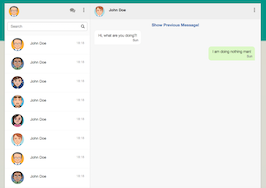
Stay Connected Anywhere, Everywhere
One of the biggest advantages of using WhatsApp Web is that you can stay connected with your contacts from any device, as long as you have an internet connection. The web version syncs seamlessly with your phone, so you can send and receive messages, make calls, and share media files without switching between devices. This is especially handy when you’re working on your laptop or desktop and don’t want to keep reaching for your phone every time you get a message.
No More Typing on Your Phone
We’ve all been there – typing a long message on our phone can be frustrating and time-consuming. Thankfully, WhatsApp Web has solved this problem for us! With a full-sized keyboard, you can type out your messages quickly and effortlessly. Plus, you can copy and paste text from other applications, making it easier to share information with your contacts.
Besides typing, WhatsApp Web also offers the option to use voice notes. You no longer have to hold down the microphone button on your phone to record a long voice note – simply press the button on your keyboard, and you can record your message hands-free!
Organize Your Chats Like a Pro
If you have multiple conversations going on at the same time, it can get confusing to keep track of them all on your phone. That’s where WhatsApp Web’s chat organization feature comes in. You can pin important chats to the top of your list, archive conversations you no longer need to see, and even mute group chats so they don’t disturb you with constant notifications.
Another helpful feature is the ability to search for specific messages within a conversation. This makes it easier to find the information you’re looking for without scrolling through hundreds of messages.
Share Media and Files Effortlessly
Sharing media files and documents is a breeze on WhatsApp Web. You can simply drag and drop files from your computer into the chat window, making it quick and easy to share photos, videos, and documents with your contacts. Plus, you can view and download media files that have been shared with you without having to transfer them to your phone first.
WhatsApp Web also has a handy camera feature, allowing you to take photos and videos directly from your computer’s webcam. This is especially useful if your phone’s camera is not functioning or if you want to take a quick snap without picking up your phone.
Keep Your Conversations Private
Privacy is a top concern for most users, and WhatsApp Web has taken measures to ensure your chats remain private and secure. Firstly, you need to scan a QR code on your phone to access the web version, making it nearly impossible for anyone to hack into your chats without having physical access to your phone. Additionally, WhatsApp Web offers end-to-end encryption, just like the mobile app, to keep your conversations between you and the intended recipient only.
Last but not least, WhatsApp Web also has a “log out” option, making it easy to sign out of your account and preventing others from accessing your conversations on the same device.
Now that you know all the amazing things you can do with WhatsApp Web, it’s time to try it out for yourself. Simply open your browser and go to web.whatsapp.com, scan the QR code, and voila – you’re ready to start using WhatsApp on your computer! So why wait? Unlock the full potential of WhatsApp today with WhatsApp Web!


 Hungarian
  English